
How to make a TV series with AI, step by step, from idea to Episode 2
By Deep Bhalerao, founder · Published
I am Deep Bhalerao, founder of Agent Social, and I make OVERCLOCK, a photoreal kaiju series, entirely in Agent Social. Four episodes are out. Nobody films anything: there is no camera, no set and no crew. What there is instead is a way of working that turns one idea into a run of episodes that feel like the same show.
This is that way of working, step by step. It is the same path you would follow for your own series, whether it is a monster show, a family comedy or a mystery.
First, the shape of a series
Everything in Agent Social hangs on four levels. Knowing them makes every later step easier.
- A series is the show. It remembers its characters, its places, its look and its story so far.
- An episode is one film in that series, as long as the story needs.
- A chapter is one beat of the episode, with its own job in the story.
- A clip is one rendered piece of video inside a chapter, from a few seconds to half a minute depending on the video model.
In OVERCLOCK, Episode 3 has twelve chapters and fourteen clips: most chapters are a single clip, and two needed a second one. Episode 4 was planned as five longer chapters, most of them holding two or more clips. The shape bends to the story, not the other way round.
Step 1: start with an idea, then write the show down
One sentence is enough to start. The studio can write a whole first episode from it, and you change what you do not like in plain words.
For a series, though, it pays to write a short brief for the show once, before the first episode. Mine for OVERCLOCK has five short parts: the show (what it is about and who it follows), the look (extreme photorealism, like real footage from a big monster film), the frame (wide, horizontal), the world (present day, the monsoon, the west coast of India) and the people. It also holds the few rules that make the show itself. Deep has no powers, ever. He wins with his eyes, his head and his nerve.
That brief travels with every episode. It is why Episode 4 still feels like Episode 1, even though a different city and different people fill it.
Step 2: make the cast and the places once
Before anything is filmed, every recurring character gets a picture, and every place a clip happens in gets one too. I check each picture before it is used: the right face, the right clothes, every view the same person. From then on every clip that character or place appears in uses the same picture.
For myself I used my own photos. The rest of the cast, from Nora and Otto to the kaiju, were painted by the studio from written descriptions. People who appear once, like a fisherman on the radio, are simply described in their clip.
There is a separate guide on how characters and places are made. The point here is the habit: by Episode 4, my episode document opens with two short lists. One says what to reuse exactly as it is. The other says what to make new. Most of a later episode is reuse.

Step 3: write the episode, chapter by chapter
The studio plans the episode as chapters. Each one gets a place, a time of day and a job. The job is the one thing the chapter must do for the story. For Episode 3, chapter 1 had the job of showing the viewer the bigger creature first, through a small boy on a Singapore beach, before Deep even knows it exists.
Then each clip gets its screenplay: the written text the video model reads and films. Who is where, what they do, what they say, what we hear. Writing a good one is a craft of its own, and there is a separate guide on that too. You read every chapter and ask for changes in plain words before anything is filmed.
Step 4: render the clips in order
Clips render strictly one after another, in story order: chapter 1, clip 1 first, then the next. The studio will not run ahead.
There is a good reason. A clip that carries straight on from the one before can open on that clip's last frame, so nothing jumps: the same rain, the same shirt, the same person in the same spot. That only works if the earlier clip already exists. Watching each clip before the next one also means a mistake gets fixed once, instead of being copied forward into everything after it.
If a clip comes out wrong, you redo that one clip. The rest of the episode stays as it was.
Step 5: sound, music and subtitles
Dialogue and sound are written into each clip's screenplay, and the video model renders them with the picture: the voices, the rotor thud, the rain on the roof. Every character has a written voice description, so they sound the same from clip to clip. You can also clone your own voice from a short recording of 15 seconds or more.
When the clips are done, the studio joins them into one film. Then you can ask for a music score over the whole episode, and for subtitles, which are made from the finished film's final sound. They can be burned into the picture or kept as separate subtitle files. You download the episode as an MP4 and post it wherever you like. OVERCLOCK goes on my YouTube channel that way.
Step 6: the next episode picks up where the last one ended
This is the step that makes it a series instead of a pile of films. When you start the next episode, the studio asks one question: "What should this episode be about?" Answering is optional. Say what happens and who it follows, or leave it blank and the writer proposes the episode itself.
Under it is one switch: "Continue straight on, with no cut". Turn it on and the first shot of the new episode picks up from the last shot of the old one, same moment, same look. Three things carry over together: the last frame, what everyone was wearing, and how the place looked. If only the picture carried, a character who ended soaked could open the next episode dry. All three travel, or none.
The cast and places carry over either way. A character who rode forward from the last episode is reused, not made again as a second copy with a slightly different face.
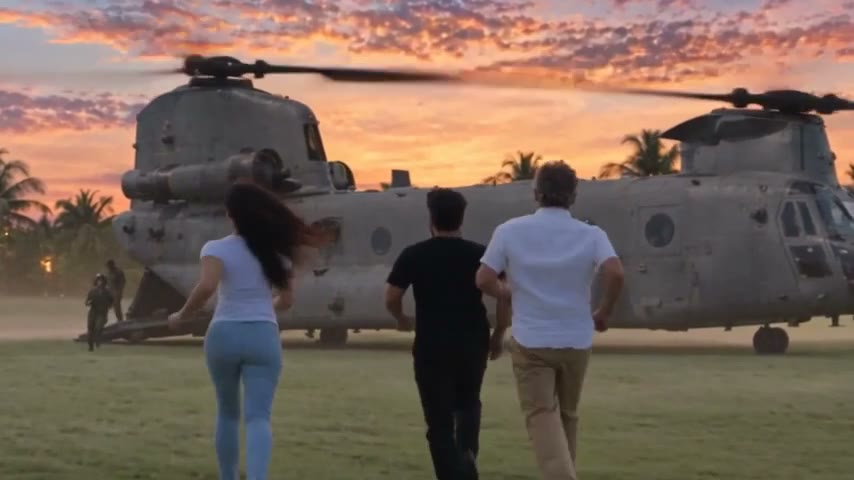
OVERCLOCK uses this every time. Episode 3 ends at a breakfast table near Alibag, with an air force helicopter on the lawn outside the glass, its rotors still turning. Episode 4's second chapter opens on that exact last frame. Deep, already on his feet, says two words: "It's time." Only he leaves. Nora and Otto stay behind and watch the helicopter go.
The whole path on one card
- Write the show down once: what it is, how it looks, where it is set, who is in it, and its few unbreakable rules.
- Make every recurring character and place once, check the pictures, then reuse them everywhere.
- Plan each episode as chapters with one job each, and read the screenplays before filming.
- Render the clips in order, watch each one, and redo only what is wrong.
- Join the clips, add the score and subtitles, and download the episode.
- Start the next episode with a short brief, and switch on "no cut" when it should carry straight on.
None of this needs you to know how a camera works. It needs you to know your show. The studio does the filming; your job is to keep the story and the world honest from one episode to the next.
Related: AI TV series maker — the same cast in every episode
Make your own film in Agent Social
Sign up