
How to make an AI video with dialogue: characters who speak their own lines
By Deep Bhalerao, founder · Published · Updated
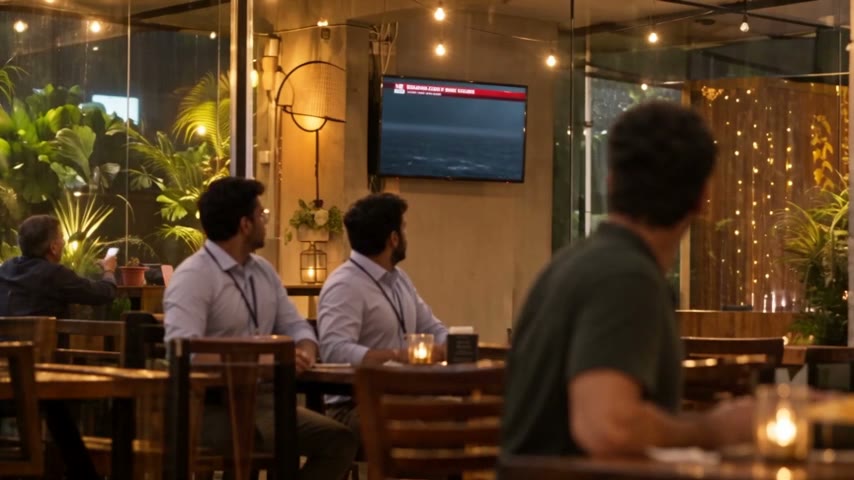
To make an AI video with dialogue in Agent Social, give each character a voice once in their Voice panel, then ask the studio for the scene in plain words: who is there, what happens, what they say. The studio writes the scene, you read the lines and change anything you like, and the clip comes back speaking, lips moving with the words and every character in their own voice.
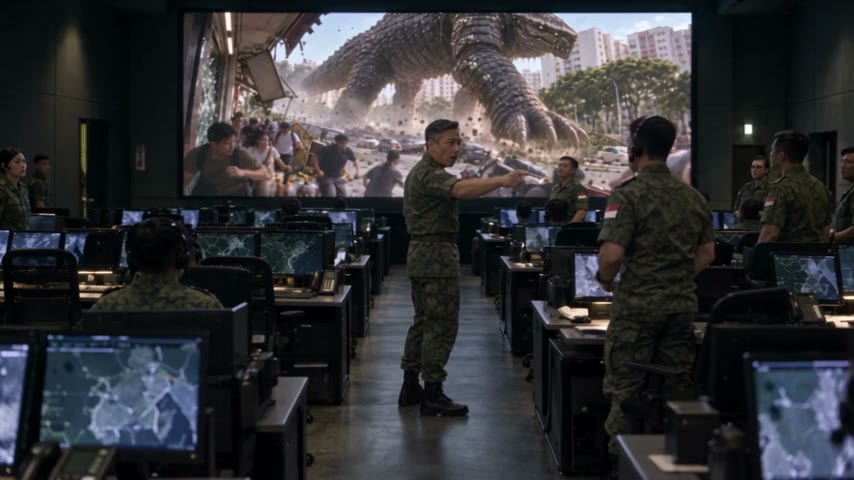
That is how every conversation in OVERCLOCK, my AI kaiju series, was made: friends talking over the TV in a café, a colonel giving orders in a command room, a mayday crackling over a helicopter radio. Here are the steps, and the things I check before every render.
Do I need a separate voice or lip-sync tool?
No. In Agent Social the spoken lines come out of the video with the picture, in one go. There is no step where you record audio and match a mouth to it afterwards. Both video models in the studio menu, Seedance 2.5 and MiniMax H3 Max, make sound and dialogue with the picture.
So you do not edit audio onto a finished clip. You set up the voices, describe the scene, and the scene comes back talking.
Step 1: give every character a voice
Open a character and go to their Voice panel. You can design a voice by describing it in words, record your own voice, or upload a recording. Play the audition before you use it: this is the moment to hear whether the voice fits the face.
Do this once per character. From then on, every line that character says in the film, and in every later episode of a series, uses that voice. If a voice ever sounds a little unreal in a clip, each character has a switch to let the video model voice them itself. Their lines stay the same; only clips rendered after the change sound different.

Step 2: ask for the scene in plain words
Tell the studio what the scene is, the way you would tell a friend: "Deep, Nora and Otto argue over breakfast about whether to go to Singapore. Otto thinks it is madness. Deep has already decided." Give it the gist and the mood. Write exact lines only where a line matters to you; the studio writes the rest.
Keep each clip to one moment of conversation. A clip is a few seconds to half a minute of film, so a long argument becomes two or three clips in a row, not one crowded one. When I squeezed too much talk into one clip, the lines came out rushed and the pauses that make a scene land disappeared.
Step 3: read the lines before you render
Before anything is filmed, the studio shows you the scene it wrote. Read it the way an actor would. Is this how the character talks? Is the line too long to say calmly in the clip? Ask for any change in plain words: "make Otto’s reply shorter", "Nora should laugh before she answers". Changing words now costs nothing. Changing them after a render costs a retake.
Step 4: say who listens, not just who talks
The most common thing I fixed in OVERCLOCK was not a voice. It was people looking the wrong way while someone else talked, and once a line from an off-screen radio given to someone standing in the frame. Each time, the fix was one more plain request: "everyone looks at the colonel when he speaks", "the skipper is only heard on the radio, never seen".
Step 5: render, then listen
Render the clips in order and listen to each one, not just watch it. A line that reads well can still land flat. If one clip is wrong, ask for that clip again with the change you want; the rest of the film stays as it is.
Can my characters speak Hindi?
Yes. A series can be switched to Hindi, and lines are written the way people in India really talk: Hindi words in Devanagari and English words in English letters, mixed in one line, like "यार, वो lock तो already खुला था।" A Hindi episode gets English subtitles. OVERCLOCK is in English, so I have not watched a finished Hindi episode of my own yet.
Music and subtitles around the dialogue
Background sound comes with each clip. If you ask the studio to compose music for the finished film, it dips under speech so the words stay clear. When you ask for subtitles, the studio listens to the finished film and times each one to the moment its words are spoken. You choose the style, size and colour.
Which model should I use for dialogue?
Seedance 2.5, the default. It films clips from 4 to 30 seconds, so a conversation has room to breathe, and in my tests it held faces better from shot to shot. MiniMax H3 Max films 5 to 15 seconds and is the one I reach for when a single short moment stands on its own.
A checklist before you render a dialogue scene
- Every speaking character has a voice set up and auditioned.
- The scene is one moment of conversation, not a whole argument in one clip.
- You have read every line and it sounds like the person saying it.
- It is clear who is looking at whom, and who is only heard.
- Lines are short enough to say calmly in the clip.
That is all it takes. Voices once, the scene in plain words, read before you render, and listen to what comes back.
Related: AI movie maker — from one idea to a finished film
Make your own film in Agent Social
Sign up