
How to make memes with AI in Agent Social: from one line to a posted meme
By Deep Bhalerao, founder · Published
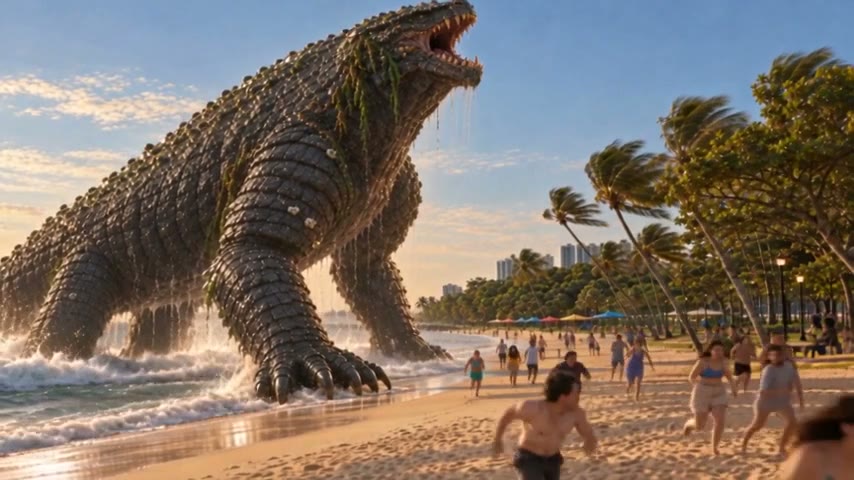
To make a meme in Agent Social, ask for it in the chat and name the meme format you want, along with what should be in it and what it should say. The studio makes the picture with the caption on it, writes the words for the post, and keeps it as a draft until you press Publish or Schedule.
The same chat that makes films makes memes, so you can turn a moment from your own film into one, or make one about anything else on your mind. Here is how, step by step.
Step 1: say the format, the subject and the joke
A meme lives or dies on its format, so name it. "A Drake meme: top panel, rendering a whole film at 1080p; bottom panel, rendering at 480p and upscaling at the end." "A distracted-boyfriend meme about a creator, their finished film and a brand-new idea." The more exactly you say who is where and what the words are, the closer the first try comes.
If you just want something funny and do not mind the format, say that instead: "a relatable meme about waiting for a clip to render". The studio picks a format that fits.
Step 2: put your own photo or film still in it
Attach a photo to the chat when you want a real subject in the meme: yourself, your product, your pet, or a still from your own film. Say what to do with it, such as "use this still of the creature as the second panel". The studio puts that subject into the meme instead of inventing one.
This is the quickest way to make memes for a series. A still of a character people already know from your episodes, with one good line on it, travels further than a generic joke, and it points back at the film.
Three memes from one episode: what to type
One finished episode can feed a week of memes. These are the kind of one-line requests that work, each with a still from the episode attached:
- “Two-panel meme. Top: me promising one quick clip tonight. Bottom: this still, captioned ‘4 a.m., chapter 9’.”
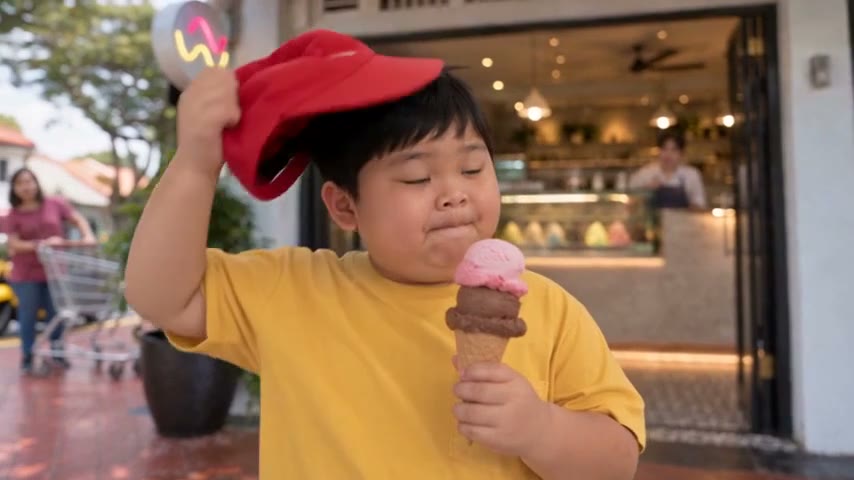
- “Reaction meme with this still of the boy eating ice cream, caption: ‘me watching my render queue fail for the third time’.”
- “Classic top-and-bottom text on this still of the creature: top ‘when the client says one small change’, bottom ‘the small change’.”
Each one names a format, says which still to use and gives the exact words. That is the whole recipe for a first try that is close to right. If the first version misses, say what is wrong in one sentence and ask again.
Step 3: read the caption and the post words
A meme without words rarely reads as a meme, so the caption is part of the picture. Check it the way you would check a headline: is it short, is it the actual joke, is every word spelled right? Then read the words that go with the post itself. Change anything by asking: "make the caption shorter", "put the text at the top", "make it square".
Step 4: publish it, or schedule it
Nothing is posted without your approval. The meme stays a draft until you press Publish or Schedule. Today you can publish to X, Instagram and Facebook straight from Agent Social.
Can it make memes for me on a schedule?
Yes, with a SocialFlow: a plain-English brief such as "post about AI news every 6 hours", or "a relatable meme about making films every morning". It researches and drafts the posts for you to approve, so you stay the one who decides what goes out.
Can I make a meme from my film’s video instead of a still?
For moving memes, the better route is a short cut from the film itself: a few seconds of a reaction, a roar, a line that lands. Shorts and posts from a finished film are their own step in Agent Social, made once the film is put together, and they come with their own post words.
What kinds of memes can I make?
Any format you can describe: two-panel comparisons, reaction images, classic top-and-bottom text, a labelled picture where each person stands for something, or a plain relatable joke on a single image. If you know the name of the format, use it. If you do not, describe the layout in words, such as “a picture split in two, left side calm, right side chaos”, and the studio builds that.
You can also ask for the shape: square for most feeds, or wide for a post that should match your film’s frame.
Tips that make memes land
- Name a format people recognise; it does half the joke for you.
- Keep the caption to one short line per panel.
- Use your own characters and stills, so every meme also points at your work.
- Make three versions of a joke and post the best one, not all three.
- Read it once on a phone before you post: if the text is hard to read there, it is too small.
That is the whole loop: one line in the chat, a picture with the caption on it, words for the post, and one press to publish or schedule.
Related: AI agent for social media: make films, post them
Make your own film in Agent Social
Sign up