
Picking a video model in Agent Social: which one for which film
By Deep Bhalerao, founder · Published
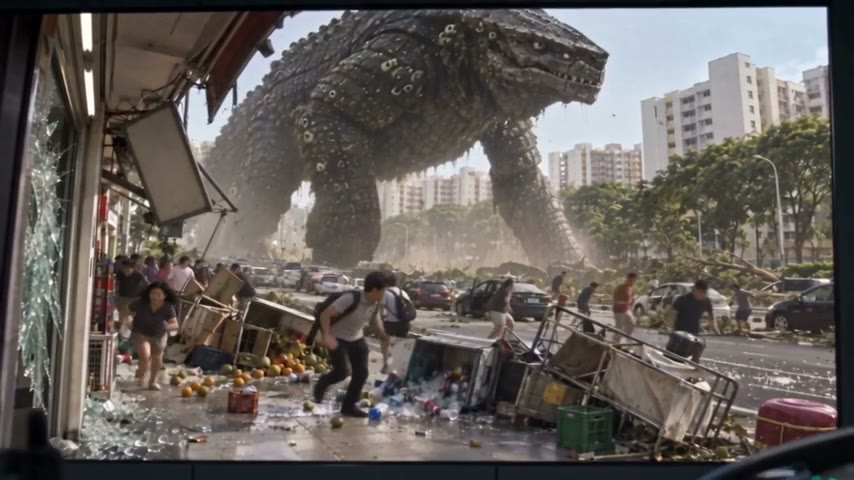
When you open a film in Agent Social, the video model is already chosen for you: Seedance 2.5 at 480p. Most people never need to change it. But there is a second model in the menu, MiniMax H3 Max, and it is there for a reason. This is how I think about the two, from making OVERCLOCK, my kaiju series, with them.
A video model is the part of the studio that turns a written take, plus the pictures attached to it, into a moving clip with sound. The studio agent writes the take and picks the pictures. The model films it. So the choice of model decides how long a clip can be, how many shots fit inside it, and how well a face holds from shot to shot.
The short version
- Pick Seedance 2.5 for a story with recurring characters, long takes and dialogue. It is the default, and it is what I used for every OVERCLOCK episode.
- Pick MiniMax H3 Max for short, punchy clips where speed matters more than holding one face across many cuts. The menu marks it "Fastest".
- You can change the model for the whole film, or for one clip, at any time. Switching costs nothing and never deletes a clip you already rendered.
Seedance 2.5: the default, and the one for stories
Seedance 2.5 films clips from 4 to 30 seconds long. Inside one clip it can cut between up to 10 shots, and it works best when each shot runs about 3 to 6 seconds. It makes the sound and the spoken lines with the picture, so a take that says "Otto throws his hands up: Caught at slip again!" comes back with Otto saying it.
It renders at 480p, 720p or 1080p, and it starts at 480p. It can take a lot of reference pictures for one clip, up to 30, which matters once a scene has three characters, a place seen from two directions and the last frame of the previous clip all attached at once.
The reason I made OVERCLOCK on it is faces. Before the series started I ran the same short scene on both models with my own photo as the reference. On H3 Max my face and my outfit changed between shots. On Seedance 2.5 they held. In a series where the same man has to be recognisable across four episodes, that settled it.
What Seedance 2.5 gets wrong, and how to write around it
Seedance 2.5 films what the words say and invents the rest. If a take does not say where someone is looking, they may look anywhere. In OVERCLOCK renders it gave an off-screen radio line to the wrong person, had people not looking at whoever was talking, left an empty car driving away after the characters got out, and once walked a character straight through a table.
None of those were the model being bad. Each was a gap in the take. The fix was always in the writing:
- Say who looks at whom on every spoken line, and how the others react.
- Name every exit. If someone leaves the frame, say where they go.
- Say who is sitting and who is standing, and where each person is in the room.
- Do not overload a 30-second clip. One I packed too full came back with a car moving oddly down an empty street.
MiniMax H3 Max: short clips, fast
MiniMax H3 Max films clips from 5 to 15 seconds, with up to 5 shots inside a clip at about 3 to 5 seconds each. Like Seedance 2.5, it makes sound and dialogue with the picture. It renders at 480p, 768p or 1080p, and it takes up to 9 reference pictures per clip. Each picture has to be at least 256 pixels on its shortest side.
It is the model I would reach for when a clip is short and stands on its own: an ad, a teaser, a single dramatic moment, a test of an idea before you commit to a whole episode. It is weaker at holding a face across cuts, so for a film where the same people appear in shot after shot, I stay on Seedance 2.5.
Both models accept lifelike faces, including a real photo of yourself as a character reference. That is how I am the lead in my own series.
Shape and resolution
You do not pick the frame shape yourself. The studio reads your brief and chooses it: wide 16:9 for an episode, tall 9:16 for a phone-first short, and so on. Both models support the common shapes, from 21:9 down to 9:16. OVERCLOCK was planned as a vertical series and moved to wide 16:9 early on, before any episode was finished.
Resolution you do pick, in the same menu as the model. All four OVERCLOCK episodes so far were made at 480p, which is the default and is enough to judge every clip before you decide what to keep.
How to switch
The model belongs to the film, not to your account. In a film's chat, open the Video tools menu and choose "Change this film's video model". You pick the model and the resolution together, and nothing changes until you close the menu. With no film open, the same menu sets your default for new films. A new episode of a series starts on the model the previous episode used.
For one clip, open the clip in the studio and use its Generation model setting. That is useful when one clip in a film is a fast standalone moment and the rest is dialogue. The setting is locked while that clip is rendering.
A switch is safe. It never deletes a clip you already paid for. Clip lengths are adjusted to what the new model can film, so a 30-second clip becomes 15 seconds if you move it to H3 Max. The reference pictures are picked again at the next render, to fit the new model's limit. And the studio tells you in one line what changed.
What I would do on a first film
- Leave it on Seedance 2.5 at 480p.
- Write each take as one continuous shot, with who is where and who looks at whom.
- Render the first clip, watch it, and fix the writing before rendering the next.
- Only move a clip to H3 Max if it is short, stands alone, and has no face that has to match the clips around it.
Related: AI movie maker — from one idea to a finished film
Make your own film in Agent Social
Sign up