Turn an AI film into shorts and posts: what I do after the last clip renders
By Deep Bhalerao, founder · Published
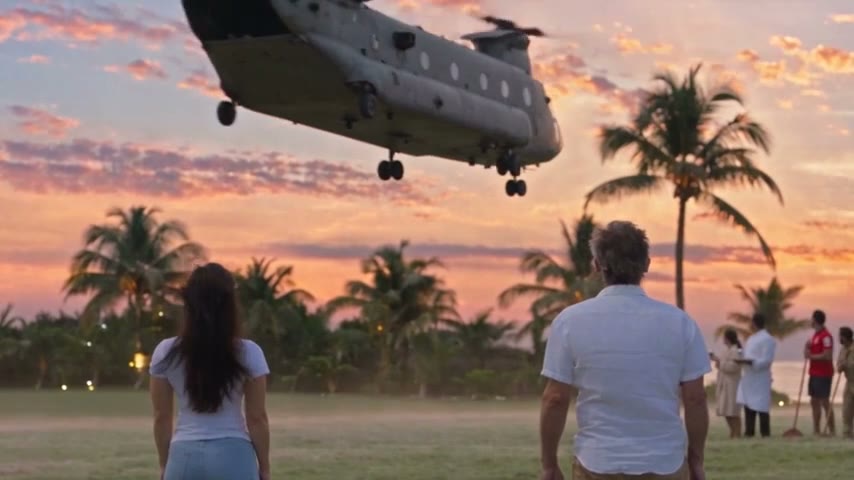
Finishing an episode feels like the end. It is really the halfway point. A five-minute film that nobody finds is five minutes of work sitting in a folder. So once the last clip of an OVERCLOCK episode renders, the next job is getting it in front of people: the full episode in one place, and shorter pieces everywhere else that point back to it.
This is what that looks like in Agent Social today, and what I still do by hand.
Start with the full film, in its own shape
Every film is posted in the shape it was made in. A wide film stays wide and a tall film stays tall. Nothing is cropped or recut to fit a platform. OVERCLOCK is made wide, so it goes out wide everywhere.
Once the film is put together, the studio writes the words for each platform: the text for X, a title, description and tags for YouTube, a caption for Instagram, a title and description for Facebook. You read them and change anything by asking. They stay a draft until you press Publish or Schedule.
Where the full episode goes depends on the platform:
- X: publish straight from Agent Social, video included.
- Instagram and Facebook: publishing to Instagram Reels and Facebook Pages is built and switched on, and is opening up to more accounts. If yours connects in Settings, you can post there from Agent Social.
- YouTube: publishing from Agent Social is not live yet. Download the MP4, in its original size or in 1080p, upload it in YouTube yourself, then save the video’s link back in Agent Social.
That saved YouTube link matters, because the shorter posts all point back to it.
Post in parts: one short post per chapter
A film in Agent Social is already split into chapters, each a short stretch of story. Post in parts uses that. Press Post in parts on the episode, or ask for it in the studio chat, and the studio cuts the put-together film into one post per chapter.
- Each part gets two files: one in the film’s own shape, and a tall copy with black bars above and below. The picture is padded to fit, never cropped.
- The wide file goes to X and Facebook. The tall copy goes to Instagram.
- Each part keeps the film’s own sound, music and dialogue. No words are put on the picture.
- Each part can end on a short card saying the full episode is on YouTube and that it was made with Agent Social.
- On X, the link to the full episode goes in a reply under each part.
- The last chapter is held back by default, so the ending stays in the full episode.
The studio writes every part’s words, and every part is a draft until you publish or schedule it. Post in parts needs the full episode’s YouTube link saved first, because that is where each part sends people.
A teaser, cut by hand
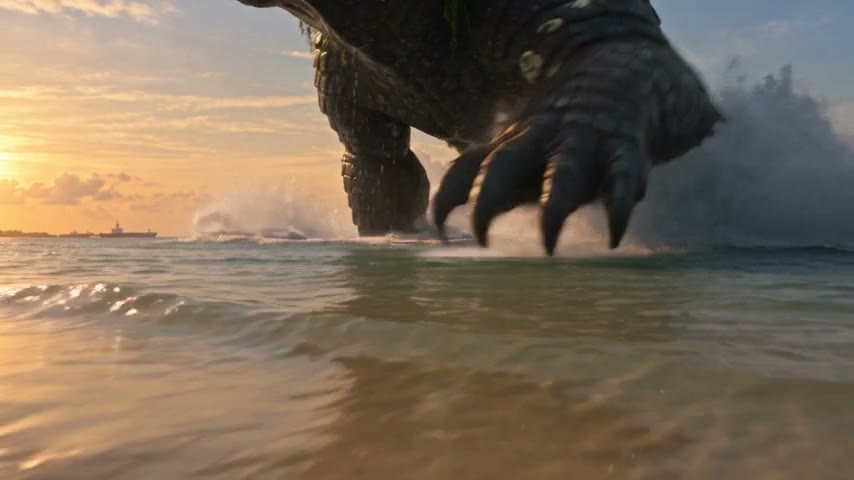
A part is a chapter as it plays in the film. A teaser is different: a few of the best seconds, reordered to make someone stop scrolling. I cut the teasers for OVERCLOCK myself, from the finished film, outside the app. A teaser is not something the studio makes for you today.
The one I liked most was for Episode 3. It stays wide, like the film. This is the shape it follows:
- Open on the loudest moment you have, in the very first second. A roar or a hit, not a title.
- Then a fast rewind, a few quick shots that show how we got there.
- One line of dialogue, ideally a small joke, so the characters feel like people and not just the monster’s audience.
- Cut on the beat of the music, so each shot lands with it.
- A short beat of silent black right before the end, to make the last moment hit harder.
- An end card that says where to watch the full episode.
The rule behind all of it: the first second decides whether anyone sees the rest. Everything after the hook is there to make the full episode feel worth the click.
Publish now or schedule
Every post, whether it is the full film, a part or a picture post, waits as a draft. Press Publish to send it now, or Schedule to pick a time. If you ask the studio to schedule a set of posts, it will do that too, but only when you ask. It never publishes anything on its own.
Space the parts out, a day or so apart, rather than posting them all at once. Each one gets its own chance to be seen, and the channel stays alive between episodes.
Between episodes: posts on a schedule
Episodes take time, and a channel goes quiet in between. A SocialFlow fills that gap. You give it a brief in plain English, such as a post about the making of the series every few days. It drafts text and picture posts on that schedule, and each one waits for you to approve it. A SocialFlow never makes or posts video; the films stay your call.
The order I follow
- Put the film together and watch it all the way through once more.
- Upload the full episode to YouTube and save its link in Agent Social.
- Read the studio’s words for each platform and post the full episode where you can.
- Press Post in parts, read each part’s words, and schedule them a day or so apart.
- Cut a teaser by hand if the episode has a moment that opens loud.
- Let a SocialFlow keep the channel going until the next episode.
None of this changes the film. It is the same five minutes, shown to people in pieces that fit how they watch, each one pointing back to the whole thing.
Related: AI agent for social media — make your films and post them
Make your own film in Agent Social
Sign up