

A social media AI agent is software you instruct in plain words that plans, makes and publishes posts for your channels. Agent Social is one built around video: in one chat it makes films, shorts, image posts and memes, writes the words for each, and publishes to X, Instagram and Facebook only when you approve.
What does a social media AI agent actually do?
A social media AI agent does four parts of a channel’s work for you: it plans what to post, makes the post, publishes it, and keeps going on a schedule. You give it a goal in plain words, such as "make a short about the new episode and post it Saturday morning", and it works out the steps. In Agent Social that goal goes into one chat. The studio writes the story for the short, films it with your characters, writes the words for each platform and leaves the finished post as a draft. You read it, change anything by asking, and press Publish or Schedule. The same chat makes a single image post or a meme. What changes is where your time goes: you stop making every piece by hand and spend it judging what comes back.
- Plans: turns a goal ("one post a day about the new episode") into a list of posts.
- Makes: writes the words and makes the pictures and videos.
- Publishes: posts to your connected channels, now or on a schedule.
- Repeats: keeps going on a schedule you set, so the channel does not go quiet.
How is an AI agent different from a social media scheduler?
An AI agent makes the posts as well as sending them, while a scheduler only sends posts you already made. A writing assistant sits in between: it drafts a caption when you ask, and then you copy it somewhere else. An agent takes the goal, works out the steps, makes whatever is missing and gets it ready to publish. The difference shows on a busy week. With a scheduler you still make every post. With an assistant you still move every draft by hand. With an agent you describe the week once and review what comes back. In Agent Social that review is the one step that stays yours: every post waits as a draft until you publish or schedule it, so an agent doing more of the work never means it decides more on its own.
| Question | Scheduler | Writing assistant | AI agent |
|---|---|---|---|
| Makes the video and pictures? | No, you bring them | No | Yes |
| Writes the post words? | No | Yes, one ask at a time | Yes, for each platform |
| Publishes the post? | Yes, at set times | No, you copy it out | Yes, once you approve |
| Starts from a goal? | No | No | Yes, it plans the steps |
What should a social media AI agent never do without you?
A social media AI agent should never post without you seeing the post first. An agent that publishes whatever it writes will, sooner or later, post something you would never have said, and it goes out under your name. The same goes for anything that spends money or speaks for you in public, such as buying ads, replying to strangers or following accounts. Those are judgement calls about your reputation, and a good agent leaves them to you. Agent Social holds to that line: everything it makes, from a five-minute episode to a single meme, waits as a draft until you publish or schedule it yourself. Nothing is posted without your approval, and every charge for what the studio makes is listed in your credit history.
Four questions to ask before you trust any agent with your channel:
- Can I see every post before it goes out, and change it in plain words?
- Does it make the videos and pictures itself, or only the captions?
- Will the same character look the same from one post to the next?
- Can I download what it made and post it somewhere it does not support?
What can Agent Social make for your social media?
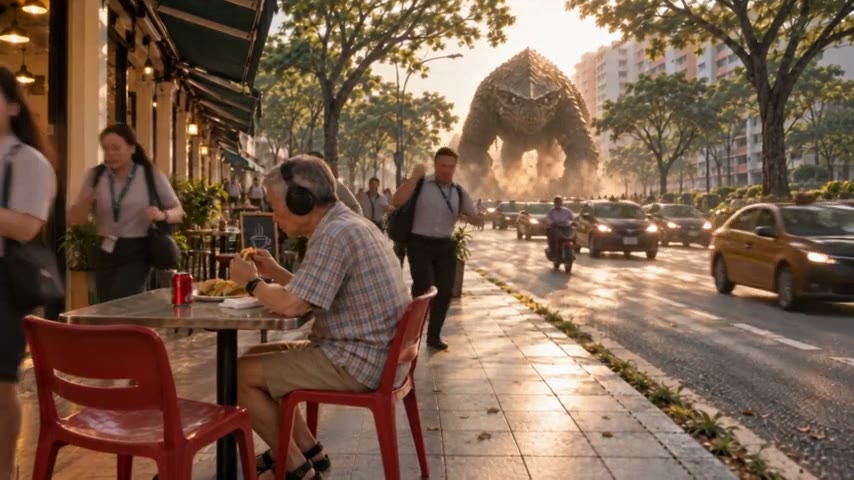
Agent Social makes films, shorts, image posts and memes in one conversation, and writes the post that goes with each. It is a film studio first, so its strength is the thing people stop scrolling for: video, with the same characters in every shot, from a short to a five-minute episode of a series. You can use your own photos and videos, or let the studio make the pictures, and a photo of yourself can become a character. Once a film is put together, the studio writes the words for each platform: the text for X, a title, description and tags for YouTube, a caption for Instagram, and a title and description for Facebook. OVERCLOCK, a kaiju series with five episodes on YouTube, was made this way.
| You type | What comes back |
|---|---|
| "Make a short about the new episode, same cast." | A finished video and its post words, as a draft |
| "Make a meme from this still." | The picture with its caption, and the post words |
| "Post this episode in parts." | One short post per chapter, each with its own words |
| "Set up a SocialFlow about AI news every 6 hours." | Text and picture drafts on that schedule |
It is built for making and publishing. If what you need is mainly reporting on how posts performed, look for a tool built for that.
Which social media channels can an AI agent post to?
In Agent Social you can publish to X, Instagram and Facebook today, straight from the chat where the post was made. You connect each account once in Settings, and from then on every draft offers Publish, to send it now, or Schedule, to pick a time. Every film also downloads as an MP4, in its original size or in 1080p, so you can post it anywhere else yourself, including a platform the studio does not publish to yet. Films are posted in the shape they were made in: a wide film stays wide, a tall film stays tall, and nothing is cropped to fit a feed. So the answer has two parts: the channels the agent posts to for you, and everywhere else you can take the file it made.
Can a social media AI agent post on a schedule?
Yes. In Agent Social, a SocialFlow drafts posts on a schedule: you give it a plain-English brief, such as "post about AI news every 6 hours" or "a relatable meme about making films every morning", and it researches and drafts posts on that rhythm. Each draft waits for you to approve it before it goes out, so a schedule never turns into posting on autopilot. A SocialFlow makes text and picture posts; it never makes or posts video, so the films stay your call. You set one up by describing it in the chat, the same way you ask for anything else. A good rhythm is one SocialFlow that keeps the channel alive between bigger pieces, while you make the films and episodes people come back for.
Can you run a social media AI agent from ChatGPT or Claude?
Yes. Agent Social has a connector that lets Claude, ChatGPT, Codex, Cursor or any app that supports MCP, the open standard AI apps use to plug in outside tools, direct the studio for you. You add the connector address in your AI app, sign in to Agent Social in the browser and press Allow. After that, "make a short from Episode 4" works the same from there as it does in the Agent Social chat. Everything your app asks for shows in the episode’s chat, labelled with the app’s name, so you can always see what happened. Your agent posts it when you say so, or schedules it, and nothing is published unless you ask. The first episode of OVERCLOCK was directed this way, from Claude Code.
How should you start with a social media AI agent?
Start with one post you would have made anyway, and judge the agent on that before you hand it a whole week. In Agent Social, ask for one thing: a short, an image post or a meme. Read the draft and change anything by asking. Connect your channel once in Settings, then publish or schedule it. When that first post is right, ask for a week. Agent Social is pay as you go, with no subscription: you top up credits, spend them only on what you make, and unused credits never expire, so a small first test is an easy way to find out. Keep one character, style or series across your posts from the start, so people recognise your work before they read a word of it.
Four mistakes to avoid in your first month:
- Scheduling a month of posts on day one. Start with a week, see what people respond to, then extend it.
- Letting every post look different. Pick a character, a style or a series and keep it.
- Approving drafts without reading them. The final read is the part that keeps your name safe.
- Posting only text. Video is what people stop for, and an agent that makes it takes on the hardest part of the work.